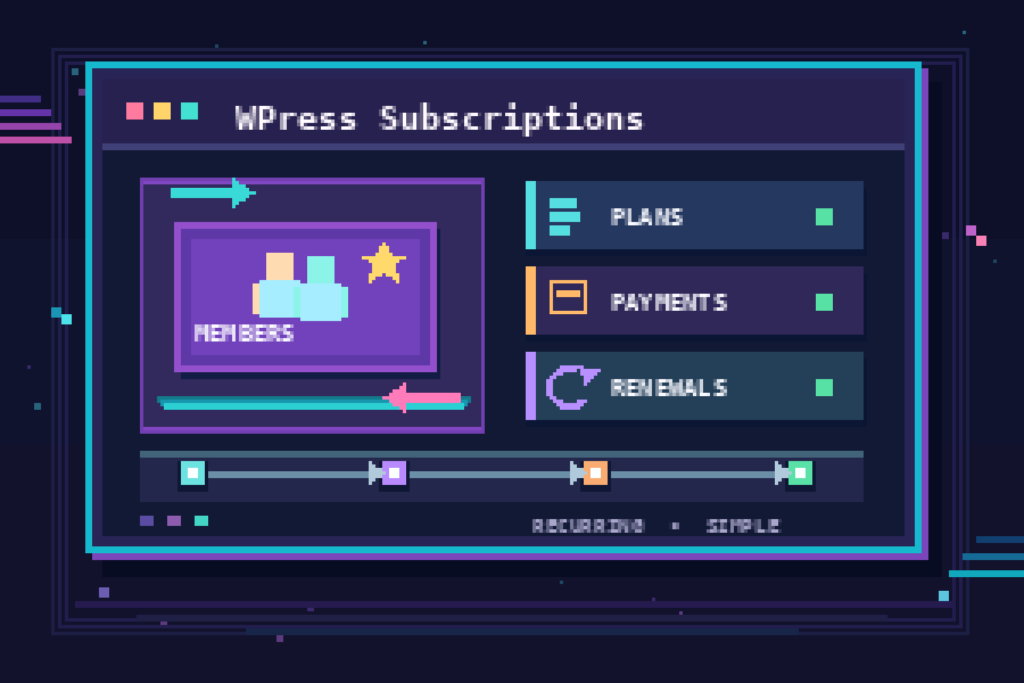
Turn Your WordPress Website Into a Subscription Business.
Recurring payments, happy members, and more control. All inside WordPress.
Meet the Smarter Way to Manage WordPress Subscriptions
Building a subscription business shouldn’t require a complicated eCommerce platform, dozens of plugins, or an endless collection of disconnected services.
Whether you’re launching a paid newsletter, running a membership website, publishing premium articles, or offering exclusive content, WPress Subscriptions gives you the tools to turn your WordPress website into a recurring revenue platform.
Create subscription plans, accept payments through Stripe, manage customers, protect premium content, and monitor your revenue — all from one beautifully designed WordPress dashboard.
No WooCommerce required. No complicated storefront. No unnecessary distractions.
Just subscriptions, made simple.
Everything You Need to Run a Subscription Business
Powerful Stripe Subscription Integration
At the heart of WPress Subscriptions is a direct integration with Stripe, one of the world’s leading payment platforms.
Customers are directed to Stripe’s hosted checkout experience, where they can sign up for your subscription plans using supported payment methods.
Once a subscription is established, Stripe handles recurring billing while WPress Subscriptions synchronizes subscription events and payment information with your WordPress website.
The integration includes:
- Stripe Checkout for new subscriptions
- Automatic recurring subscription billing
- Secure Stripe webhook verification
- Subscription status synchronization
- Recurring invoice and payment tracking
- Failed payment monitoring
- Subscription cancellation
- Full and partial payment refunds
You remain in control of your subscription plans and members through WordPress, while Stripe provides the payment infrastructure.
Create Unlimited Subscription Plans
Every membership business is different.
Some need a simple monthly subscription. Others offer annual memberships, introductory trials, or subscriptions that automatically finish after a fixed number of payments.
WPress Subscriptions lets you build plans around your business model.
Create multiple subscription tiers, assign different prices, and choose how often customers should be billed.
Supported billing intervals include daily, weekly, monthly, and yearly subscriptions, with configurable billing frequency.
For each plan, you can configure its name, description, price, currency, included features, and signup button.
You can also offer free trials, limit subscriptions to a specified number of payments, or configure an end date.
Prefer recurring memberships without a predefined end? Simply create an ongoing subscription that continues until cancelled.
Your business model. Your pricing. Your rules.
Turn Regular Content Into Members-Only Content
One of the most useful features of WPress Subscriptions is its built-in content protection.
Want to publish exclusive articles for paying subscribers? Create a premium resource library? Give members access to special pages?
You can restrict selected WordPress posts and pages based on the subscription plans a visitor has purchased.
Visitors without the required subscription see a customizable access message with a link to your subscription plans.
WPress Subscriptions also provides a shortcode for protecting individual sections of content, allowing you to combine public and members-only material on the same page.
Content protection includes handling for standard WordPress excerpts, feeds, and supported REST API responses.
That makes it useful for publishers, content creators, professional websites, and membership communities.
A Dedicated Subscription Dashboard for Members
A good subscription experience doesn’t end when someone completes a payment.
Customers need a straightforward way to see what they’re paying for and manage their memberships.
WPress Subscriptions includes a dedicated My Subscriptions page, where logged-in customers can view their subscriptions and account information.
Members can see their plan, payment provider, subscription status, upcoming payment date, and relevant trial or access expiration information.
They can also cancel eligible subscriptions directly from their account page.
The interface clearly distinguishes active memberships, trials, pending payments, failed payments, and cancelled subscriptions.
Everything is designed to make subscription management understandable without requiring customers to navigate WordPress administration.
A Beautiful Dashboard for Website Owners
Managing your subscribers shouldn’t mean digging through endless database records or exporting spreadsheets every time you need an answer.
WPress Subscriptions includes a colorful, organized administration interface designed to make day-to-day management easier.
The dashboard brings subscription information, revenue figures, and management tools together in one place.
From the WordPress administration panel, you can:
- Create, edit, and manage subscription plans
- View customers and subscription statuses
- Review payments and transaction history
- Monitor successful and failed payments
- Process supported full and partial refunds
- View subscription activity logs
- Adjust subscription settings and access rules
- Configure Stripe and optional Klarna integration
The interface follows the WPress Plugins design language, with clean navigation, colorful details, readable statistics, and a modern visual style.
Less dashboard clutter. More useful information.
Revenue Reports That Actually Make Sense
Recurring revenue is one of the most important metrics for a subscription business.
WPress Subscriptions includes reporting tools to help you understand how your memberships are performing.
Track subscription growth, successful payments, failed charges, cancellations, and revenue directly inside WordPress.
Available reporting includes:
Monthly Recurring Revenue (MRR)
Understand the normalized monthly value of active subscription plans.
Annual Recurring Revenue (ARR)
See an annualized estimate based on your monthly recurring revenue.
Revenue and Refunds
Review collected payments, refunds, and net revenue for selected reporting periods.
Subscription Growth
Track newly created subscriptions, active memberships, and cancellations.
Plan Performance
Discover which subscription plans contribute the most revenue.
Payment Provider Performance
Compare payment activity across Stripe and Klarna, where both are configured.
Historical Trends
Review monthly revenue and subscription activity over time.
Reports include date filters, a custom reporting period, and CSV export for further analysis.
When multiple currencies are used, monetary results are presented by currency rather than combined into an inaccurate total.
Automatic Subscription Status Management
A subscription can change status for many reasons.
A payment may fail, a free trial may end, a customer may cancel, or a payment provider may report that a subscription has been updated.
WPress Subscriptions uses payment-provider events and scheduled synchronization to keep local subscription records updated.
Supported statuses include active, trialing, pending, past due, cancelled, and ended.
You can also configure a grace period for failed payments, giving customers a limited amount of additional access while payment problems are resolved.
When an eligible subscription becomes active, the plugin can grant a configured WordPress membership role.
When access ends, the corresponding role can be removed, with safeguards for customers who have other qualifying subscriptions.
For security, paid memberships cannot grant administrator or other privileged editorial roles.
Optional Klarna Payments
While Stripe is the primary payment integration, WPress Subscriptions also includes optional Klarna support.
The Klarna integration supports hosted payment onboarding, customer-token-based recurring charges, and refunds through supported Klarna APIs.
Availability depends on your merchant agreement, country, currency, and Klarna’s approval of recurring-payment functionality.
If you don’t use Klarna, you can leave it disabled and run your subscription business entirely through Stripe.
Designed for Content Creators, Publishers, and Businesses
WPress Subscriptions can be useful for many different WordPress projects.
Online Magazines and Publishers
Offer premium articles and exclusive content to paying readers.
Membership Websites
Create different membership levels with access to selected website content.
Independent Creators
Offer subscription-based access to resources, articles, guides, and other digital content.
Professional Organizations
Manage recurring membership payments and restricted member pages.
Educational Publishers
Offer paid access to educational articles, tutorials, and learning resources.
Digital Communities
Use membership plans alongside your existing WordPress functionality to manage access for subscribers.
You don’t need to turn WordPress into a complete online store just to charge customers regularly.
Works With Your Existing WordPress Website
WPress Subscriptions is designed to integrate with standard WordPress functionality.
You can display your subscription plans, account area, and signup buttons using built-in shortcodes.
Available shortcodes include:
[wpress_subscription_plans]
Displays your active subscription plans with prices, descriptions, and signup buttons.
[wpress_subscription_account]
Displays the logged-in customer’s subscriptions and account management interface.
[wpress_subscription_button plan="premium"]
Displays a subscription button for a specific plan.
[wpress_subscription_content plans="premium"]
Protects content so it is visible only to customers with the specified subscription.
This gives website owners flexibility when building subscription pages using WordPress blocks, traditional themes, or compatible page builders.
Built With Security in Mind
Payment processing and membership access require careful handling.
WPress Subscriptions includes signed Stripe webhook verification, WordPress permission checks, protected administration actions, and safeguards around membership roles.
Sensitive payment processing takes place through the supported payment providers rather than requiring your WordPress website to collect card details directly.
Subscription and transaction information is maintained in dedicated WordPress database tables.
The plugin also keeps its settings and records separate from the original Solid.Subscription plugin.
HTTPS is required for a secure production setup.
No WooCommerce. No Unnecessary Complexity.
WooCommerce is an excellent eCommerce platform, but not every subscription website needs an entire online store.
Sometimes all you want is to charge customers monthly, unlock premium content, and manage your subscribers.
That’s exactly the kind of workflow WPress Subscriptions is designed for.
You get recurring payments, membership access controls, subscriber management, and revenue reports without installing WooCommerce or relying on its subscription extensions.
A focused subscription system built for WordPress.
Getting Started Is Simple
Step 1 — Install the Plugin
Download WPress Subscriptions, open your WordPress dashboard, and upload the plugin ZIP file through Plugins → Add New → Upload Plugin.
Step 2 — Connect Stripe
Open WPress Subscriptions → Settings, enable Stripe, and configure your Stripe API credentials and webhook signing secret.
Step 3 — Create Your First Plan
Choose your subscription price, billing frequency, trial settings, and optional membership access role.
Step 4 — Publish Your Subscription Page
Display your available plans using the included shortcode or the subscription page created by the plugin.
Step 5 — Protect Premium Content
Select which posts, pages, or content sections should require an active subscription.
Step 6 — Start Managing Subscribers
Test your checkout flow, activate your live payment configuration, and manage subscriptions from your WordPress dashboard.
Technical Requirements
- WordPress 6.3 or newer
- PHP 7.4 or newer
- HTTPS-enabled website
- A configured Stripe account for Stripe payments
- Stripe API credentials and webhook signing secret
- Optional Klarna merchant credentials for supported Klarna payments
WPress Subscriptions does not require WooCommerce.
A separate Stripe account is required, and normal payment-provider transaction fees apply.
Important Information
WPress Subscriptions is a standalone plugin with its own settings and database tables.
Existing subscriptions from Solid.Subscription are not automatically migrated. If your website already has paying customers using another subscription system, those subscriptions must be handled through a controlled migration.
Before accepting live payments, test signup, recurring billing, failed payments, cancellation, refunds, and content access using your payment provider’s test environment.
Your Website. Your Subscribers. Your Business.
A subscription business should be about creating something people want to come back for — not spending your days managing payment settings and complicated membership software.
WPress Subscriptions brings payments, recurring memberships, customer management, protected content, and revenue reporting together in one WordPress plugin.
Whether you’re launching your first paid membership or adding subscriptions to an established website, WPress Subscriptions gives you a focused place to start.
Build something worth subscribing to.
WPress Subscriptions — Subscriptions on autopilot. Your WordPress site in control.